|
|
|
|
Bluray + HD Network Player
Bluray Player + Full HD (1080p) Network Media Streaming
 |
Dune HD Max
All-in-One HD A/V Entertainer ! HD Player, Blu-ray Player + Network Media Streaming Client
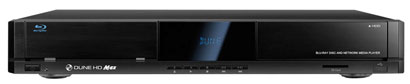
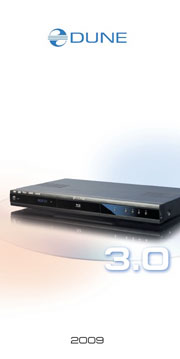
The new top-of-the-range model. Universal all-in-one solution to play video up to Full HD (1080p), combines in one case: universal HD media player and the up-to-date Blu-ray player.
Dune HD Max features the powerful modern Sigma Designs SMP8642/8643 video processor, and a built-in silent optical drive that allows the Dune HD Max to play anything from CDDA to DVD and Blu-ray disks. The player also has a 3.5" SATA HDD rack with hot-swap support, an SD card slot, and 3 high-speed USB 2.0 ports to connect external storage and extension modules.
One of the main features that distinguishes this media player from its competitors is its special compartment for extension boards. The compartment is located behind a panel at the rear of the media player. Up to 2 boards can be installed simultaneously.
The new device justifiably promises to be as successful as its predecessors in the 3.0 series, which won all possible industry awards, and came out top in all the comparative tests conducted by different high-profile technology publications around the world. The Dune HD Max supports practically all audio and standard and high-definition video formats. It is compatible with all types of "high-definition" sound formats (Dolby TrueHD, DTS HD Master Audio etc.), and plays DVD and Blu-ray discs and images with ease. Special notice should be taken of the extremely fast networking speed, the IPTV and Internet Radio functions, as well as the built-in.
Key Features
- The newest Sigma Designs 8642/8643 media processor
- Blu-ray and DVD player
- HDD player
- Network player
- MKV player
- HD audio
- 3 USB ports
- HDD rack with hot swap function
- SD card slot
- HDMI 1.3
- Extended support for Dolby True HD and DTS HD Master Audio
- Video output flexibility
- Upscaling
- File browser
Dune HD Max Quickstart Guide, PDF 1 MB English & Russian
Dune HD Max Flyer, PDF 1 MB English
Dune HD Max Video, WMV, 13,6 MB - Start the video!
|
|
(more pictures ...)
Dune HD Max
Extra Functions
High-quality music playback
Playlists
NAS function
BitTorrent
Customizable user interface
Flash applications
Internet radio
IPTV
Digital TV option
Internet browsing |
Dune HD Duo
Network Media Player with two HDD Racks
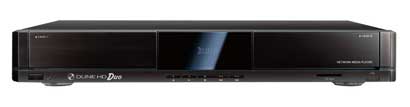
The HDI Dune company is proud to present the new uniquely equipped network media player Dune HD Duo. The new model is oriented towards demanding customers which don't like compromise solutions or limitations, including those related to home media library storage space and ease of access. For this purpose the engineers from HDI Dune have equipped the new model with two racks for 3.5" SATA HDDs, which allows to reach the unprecedented for today's media players internal storage space of 4 terabytes.
This player is equipped with the currently most advanced video processor Sigma Designs SMP8642 (SMP8643), and has the same functionality as the company's flagship model — Dune HD Max media center. In addition to the mentioned two HDD racks, the player has a slot for SD memory cards and three high-speed USB 2.0 ports for connecting external storage and extension modules.
One of the main features that distinguishes this media player from its competitors is its special compartment for extension boards. The compartment is located behind a panel at the rear of the media player. Up to 2 boards can be installed simultaneously.
|
|
Dune HD Duo
Extra Functions
High-quality music playback
Playlists
NAS function
BitTorrent
Customizable user interface
Flash applications
Internet radio
IPTV
Digital TV option
Internet browsing |
Dune HD Lite 53D
Entry-level universal Full HD (1080p) Media Player and Set-Top-Box for Digital TV
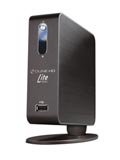
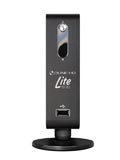
Dune HD Lite 53D is an entry-level universal media player which allows to play back video of standard and high definition up to Full HD (1080p), and also can be used as a specialized set-top-box for digital TV programs reception. The device is compact and looks attractive.
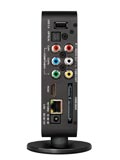
The player features two high-speed USB 2.0 ports, SD memory card slot and SATA (in case the internal HDD is installed, the external SATA port is turned off) connector (together with SATA power connector) for connecting external storage. Set of video outputs is represented by one HDMI v1.3 port, composite and component analog outputs. Sound may be connected via HDMI, using the optical Toslink interface, or an RCA stereo connectors. A special feature is the capability to play back audio and video files over a local network. For this purpose an Ethernet port is offered, which allows to transmit data with a high rate of up to 100 Mbits per second.
In terms of functionality, the Dune HD Lite 53D meets all requirements addressed to modern multimedia players of low-price segment, and in many points exceeds them. For example, it allows to install a 2.5" SATA HDD inside the case for recording and playback of different audio and video contents.
|
|
Dune HD Lite 53D
Extra Functions
High-quality music playback
Playlists
NAS function
BitTorrent
Customizable user interface
Internet radio
IPTV
Digital TV option
Dune HD Lite 53D Quick Start Guide PDF download |
New, modular SMART Serie Basic Modules
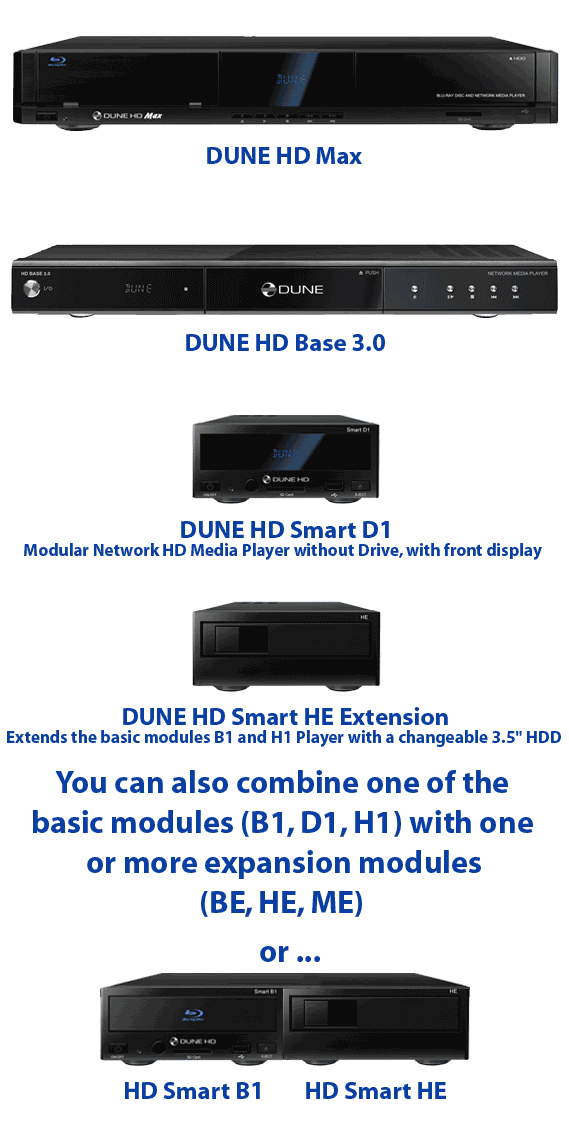
Dune HD Smart B1 - The new, modular Network HD Media Player with Blu-ray Drive
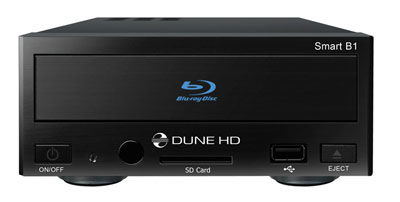
Dune HD Smart B1 is an all-in-one solution for up to Full HD (1080p) video playback, combining a universal high definition media player and a modern Blu-ray disc player in one device.
Dune HD Smart players allow to create custom configurations based on the primary (head) unit like Dune HD Smart B1/H1/D1 and several optional extension modules of choice, which can be combined to form an integrated player.
The Dune HD Smart player itself is a head unit which can be extended at user's desire with extension modules, such as the following:
Dune HD Smart HE (adds the option for easy installation of SATA 3.5" HDD with hot swap feature).
Dune HD Smart ME (adds the option for installing different additional modules, in particular, for reception of satellite, cable or digital terrestrial TV).
Extension modules can work exclusively with the head unit (Dune HD Smart player) and use a common control system, implemented via the head unit. The number of connected modules may vary in a wide range: the user can compile his/her own Dune HD Smart system of e.g. two, three and even six components.
In order to group SMART devices by 2 or 3 horizontally, special mounts can be used. For example, a group of 3 modules, including the head unit, combined this way, will comprise a new player of a standard size like the model Dune HD Max.
Dune HD Smart B1 Quickstart Guide, PDF 1 MB English & Russian
Dune HD Smart Flyer, PDF 2,1 MB English
|
|
(more pictures ...)
Dune HD Smart B1
The individual modules of the SMART series combined
In addition with the SMART extension modules can be combined
High-quality music playback
Playlists; NAS function; BitTorrent
Customizable user interface
Flash applications
Internet radio; IPTV; Digital TV option
Internet browsing |
New, modular SMART Serie Basis Modules
Dune HD Smart D1 - The new, modular Network HD Media Player, without Drive (internal 3.5" HDD can be fit), with front display
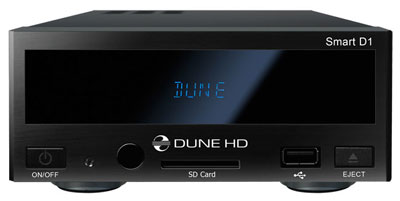
Dune HD Smart D1 is an all-in-one solution for up to Full HD (1080p) video playback.
Dune HD Smart players allow to create custom configurations based on the primary (head) unit like Dune HD Smart B1/H1/D1 and several optional extension modules of choice, which can be combined to form an integrated player.
The Dune HD Smart player itself is a head unit which can be extended at user's desire with extension modules, such as the following:
Dune HD Smart HE (adds the option for easy installation of SATA 3.5" HDD with hot swap feature).
Dune HD Smart ME (adds the option for installing different additional modules, in particular, for reception of satellite, cable or digital terrestrial TV).
Dune HD Smart BE (adds the option for Blu-ray/DVD/CD playback) (including commercial Blu-ray/DVD discs).
Extension modules can work exclusively with the head unit (Dune HD Smart player) and use a common control system, implemented via the head unit. The number of connected modules may vary in a wide range: the user can compile his/her own Dune HD Smart system of e.g. two, three and even six components. In order to group SMART devices by 2 or 3 horizontally, special mounts can be used. For example, a group of 3 modules, including the head unit, combined this way, will comprise a new player of a standard size like the model Dune HD Max.
Dune HD Smart D1 Quickstart Guide, PDF 1 MB English & Russian
Dune HD Smart Flyer, PDF 2,1 MB English
 |
 |
|
|
(more pictures ...)
Dune HD Smart D1
The individual modules of the SMART series combined
In addition with the SMART extension modules can be combined
High-quality music playback
Playlists; NAS function; BitTorrent
Customizable user interface
Flash applications
Internet radio; IPTV; Digital TV option
Internet browsing |
New, modular SMART Serie Basic Module
Dune HD Smart H1 - The new, modular Network HD Media Player, with changeable 3,5" HDD
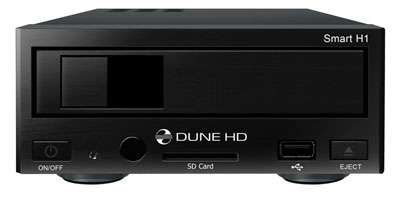
Dune HD Smart H1 is an all-in-one solution for up to Full HD (1080p) video playback.
Dune HD Smart players allow to create custom configurations based on the primary (head) unit like Dune HD Smart B1/H1/D1 and several optional extension modules of choice, which can be combined to form an integrated player.
The Dune HD Smart player itself is a head unit which can be extended at user's desire with extension modules, such as the following:
Dune HD Smart HE (adds the option for easy installation of SATA 3.5" HDD with hot swap feature).
Dune HD Smart ME (adds the option for installing different additional modules, in particular, for reception of satellite, cable or digital terrestrial TV).
Dune HD Smart BE (adds the option for Blu-ray/DVD/CD playback) (including commercial Blu-ray/DVD discs).
Extension modules can work exclusively with the head unit (Dune HD Smart player) and use a common control system, implemented via the head unit. The number of connected modules may vary in a wide range: the user can compile his/her own Dune HD Smart system of e.g. two, three and even six components. In order to group SMART devices by 2 or 3 horizontally, special mounts can be used. For example, a group of 3 modules, including the head unit, combined this way, will comprise a new player of a standard size like the model Dune HD Max.
Dune HD Smart H1 Quickstart Guide, PDF 1 MB English & Russian
Dune HD Smart Flyer, PDF 2,1 MB English
|
|
(more pictures ...)
Dune HD Smart H1
The individual modules of the SMART series combined
In addition with the SMART extension modules can be combined
High-quality music playback
Playlists; NAS function; BitTorrent
Customizable user interface
Flash applications
Internet radio; IPTV; Digital TV option
Internet browsing |
To expand the modular SMART Basic Series Modules, you can use the following extension modules:
Dune HD Smart BE Extension. Extends the basic modules D1 or H1 Player with a Blu-ray drive
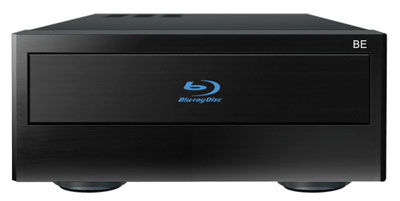
The "Smart BE" extension module is intended primarily for use with Dune HD players, in particular, any of the base modules (players) of Dune HD Smart family or with Dune HD Max player. This module contains a special Blu-ray drive for players of premium class, which incorporates low-noise mechanics and optics manufactured by Sony. This module allows to extend Dune HD players capabilities with playback of original and user-recorded Blu-ray discs, DVDs and CDs.
The "Smart BE" extension module is equipped with eSATA interface for the most efficient work with a player (eSATA-eSATA cable comes bundled for connecting to a player).
Bundled with the HD Smart BE extension module there comes the 12V 3A power adaptor, eSATA-eSATA cable, and the brief user guide.
Dune HD Smart Flyer, PDF 2,1 MB English
|
|
(more pictures ...)
Dune HD Smart BE Extension
The individual modules of the SMART series combined |
SMART Serie extension modul
Dune HD Smart HE Extension. Extends the basic modules B1 and H1 Player with a changeable 3.5" HDD
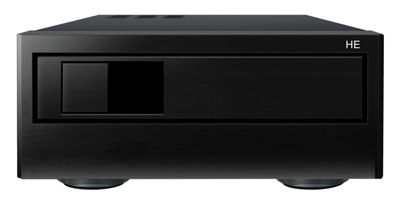
The "Smart HE" extension module is intended primarily for use with Dune HD players, in particular, any of the base modules (players) of Dune HD Smart family or with Dune HD Max player. This module allows to extend Dune HD players capabilities with a rack for installation of 3.5 inch SATA HDD with hot-swap support. Besides, connection to a player may be performed by either USB 2.0 or eSATA interface.
Also, if desired, the Smart HE module may be used with a PC as a USB or eSATA HDD box.
Being connected to a Dune player or a PC via USB 2.0 interface (using the USB Slave connector on the rear panel of the extension module) the module also serves as a USB hub: two USB Host 2.0 connectors of the module may be used to connect additional external devices which are therefore made available to the Dune player or the PC.
Dune HD Smart Flyer, PDF 2,1 MB English
|
|
(more pictures ...)
Dune HD Smart HE Extension
The individual modules of the SMART series combined |
SMART Serie extension modul
Dune HD Smart ME Extension. Extends the basic modules with two ports for extension boards for DVB-T, DVB-C or DVB-S/S2 or card modules
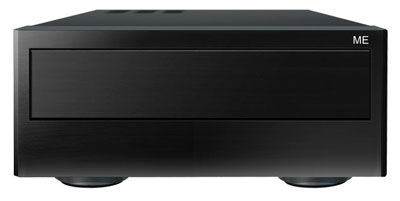
The "Smart ME" extension module is intended primarily for use with Dune HD players, in particular, any of the base modules (players) of Dune HD Smart family or with Dune HD Max player. This module allows to extend Dune HD players capabilities with two ports for extension boards. In particular, in the nearest future there will be available extension boards with DVB-T/T2, DVB-S/S2, DVB-C (aerial, satellite and cable TV), including boards with a slot for access cards needed for reception of encrypted digital channels.
The Smart ME module may be connected to a Dune HD player using the enclosed USB Host-Host special cable, to any of the USB 2.0 Host ports of the player.
Dune HD Smart Flyer, PDF 2,1 MB English
|
|
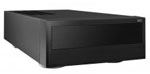
(more pictures ...)
Dune HD Smart ME Extension
The individual modules of the SMART series combined |
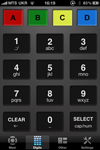
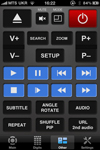
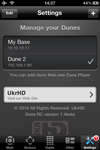
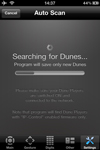
Dune Remote iPhone / iPad App
Allows to fully control Dune HD players with Apple mobile devices
|
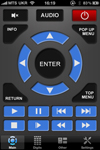
The application allows to fully control Dune HD players with Apple mobile devices such as iPhone and iPad. Dune Remote has been developed by the Ukrainian company UkrHD and is absolutely free and available for downloading at Apple Store.
It should be noted that player control with Dune Remote is based on commands sent via TCP/IP, and this means that your iPhone or iPad, as well as the Dune HD player, should be connected to the home network. At the moment of publication of this news the publicly available versions of Dune HD player firmware do not support controlling via this protocol. Such support will be fully integrated into players in the nearest future. Anyway, for all who wants to get aquainted with Dune Remote now, there is a special test version of the firmware available for download at the official manufacturer's site: http://dune-hd.com/firmware/ip_control/ |
|

|
Titan Quest Android Save Editor ^new^ Review
Editing save files for Titan Quest on Android is a common practice for players looking to bypass the grind or fix build errors. While no dedicated "Android-only" app exists, players successfully use PC-based tools like Hex Editing by moving files between their device and a computer. Core Features & Functionality Most editors focus on character-specific data stored in the Player.chr Attribute & Skill Points
: Easily reset or add unspent points to fix "messed up" builds.
: Instantly increase your gold count for high-tier merchant gear. Character Stats : Modify level and experience points.
Note: Directly changing level can sometimes bug the experience bar unless you also set experience to the max cap Inventory Management : Use PC tools like to manage stash space or duplicate items. Performance & Ease of Use Complexity
: High. Unlike PC gaming, you must manually navigate Android’s internal storage—specifically
Android/data/com.hg.titanquestedition/files/Preferences/SaveData/Main —to extract Backup your saves! Titan Quest Android Save Editor
Editing while the game is running or failing to use correct data validation can lead to corrupted characters or progress resets. Version Compatibility : Recent updates (like the Eternal Embers
DLC) have introduced stricter data validation, causing some edited saves to stop working or save only to backup directories. Top Recommendations
To draft a paper on a Titan Quest Android Save Editor, you should focus on the technical process of accessing mobile save data and the specific tools available for modification. Many editors designed for the PC version are also compatible with Android save files once the files are transferred to a computer. Technical Overview of Save Editing
Save editing in Titan Quest involves modifying the Player.chr file, which contains character attributes, skills, and inventory data. For the Android version, this requires navigating the device's internal storage (often located in Android/data/com.dotemu.titanquest/files/SaveData/) and moving the files to a PC for easier manipulation. Recommended Tools and Features
Several community-developed tools provide different levels of character modification: Editing save files for Titan Quest on Android
TQ Respec: A versatile tool that allows for redistributing attribute points, changing gender, and removing masteries. It is explicitly compatible with Titan Quest Legendary Edition for Android.
Titan Quest Mutator: A simpler editor that enables users to load character files and edit specific values directly.
ACE-TitanQuest: A Java-based character editor that can load and save modified character files.
Hex Editors: For advanced users, mobile save files can be edited using a Hex Style tutorial to manually adjust hex values for stats like health or gold. Step-by-Step Editing Process
Backup Data: Always create a backup of your original Player.chr file before making changes to prevent data loss. Where saves live (typical) On Android, game saves
File Transfer: Connect your Android device to a PC and use tools like the Android SDK Platform-Tools to copy the save directory to your computer.
Modification: Use an editor like the Save editor for android or the Titan Quest Legendary Edition Save Editor to open the file and adjust your desired stats.
Verification: After saving your changes, move the file back to the original directory on your Android device and launch the game to verify the edits.
Where saves live (typical)
On Android, game saves are usually stored in the app’s data directory:
- /sdcard/Android/data/com.defeatedcrow.titanquest/files/ or
- /storage/emulated/0/Android/data/[game_package]/files/
Location can vary by build and device; some versions use internal app storage inaccessible without root.
Method: The "Stash Dump" Strategy
If your editor can't create items, use it to duplicate a high-quality item you already own.
- Place a valuable legendary item (e.g., Sabertooth sword) in your character’s transfer stash (the shared inventory).
- Save the game and close it.
- Copy the
Player.chr file to a separate backup folder.
- Reload the game. Take the item out of the stash and put it in your personal inventory.
- Save and close again.
- Now you have one save where the item is in the stash, and another where it's on your character. Using the save editor, you can swap between these save states to effectively duplicate the item.
Step-by-Step Guide to Edit Your Save
Troubleshooting Common Errors:
| Error Message / Symptom | Likely Cause | Solution |
| :--- | :--- | :--- |
| "Failed to load character" | Corrupted checksum or invalid class ID | Restore backup. Re-edit using only basic stats. |
| Character level shows "0" in editor | File path incorrect or read-only permissions | Move game from SD card to internal storage. |
| Skills reset after loading | Value exceeds game engine limit (above 20) | Reduce skill ranks to 16-20. |
| Editor crashes on launch | Incompatible with Android 13/14 scoped storage | Use PC-based editor via USB file transfer. |
Introduction to Save Editing in Games
Save editing in video games, particularly in RPGs like Titan Quest, allows players to modify their game save files. This can range from simple tweaks, such as altering character stats, to more complex changes, like modifying game progress or unlocking hard-to-access content. The practice offers a layer of flexibility and replayability, allowing players to experiment with different builds, correct mistakes, or simply have fun by creating overpowered characters.
|
|
|