Outside the USA?
We're sorry, but we don't ship outside the United States. Often the cultures don't survive the trip, or they get stuck in customs for several weeks.
Here's a list of resources you can use to find cultures:
Finding a verified LG K41S (K410HM) ISP pinout is notoriously difficult because the device often requires a
method (removing the BGA-221 memory chip) for direct eMMC access. However, if you are performing a manual trace or using a tool like Easy-Jtag Plus
, here is the technical breakdown of the necessary connection points. Required Connection Points (eMMC ISP)
To perform an In-System Programming (ISP) repair, you must solder fine wires to these specific points on the motherboard: : The primary data line. : Command signal line. : Clock signal line (often near a resistor). VCC (2.8V) : Core power supply. VCCQ (1.8V) : I/O power supply. : Ground (can be any large metal shield on the board). Technician Notes for LG K41S : The LG K41S uses a eMMC memory chip. The "Chip-Off" Reality
: Many technicians report that the ISP method is unreliable for this specific model due to hardware security or trace complexity, recommending that you remove the chip and use a BGA-221 socket instead. Common Use Case : Most seek this pinout to bypass FRP (Factory Reset Protection) when the USB data lines are damaged. Voltage Warning
: If connecting via an external box like Medusa or Easy-Jtag, ensure your VCCQ is set to to avoid damaging the memory chip. Troubleshooting "Dead After ISP"
If the phone fails to turn on after you've attempted an ISP connection: CLK Resistor : Check the resistor on the
line. If it was accidentally desoldered or shorted during your jumper work, the device will not boot. Short Detection
: Use a multimeter to ensure no bridge exists between DAT0, CMD, or CLK and the surrounding ground shields. using the physical buttons instead? Dead after ISP pinout solution|| All models ूम करके दिखाता हूं यह Lg ms330 ISP PINUOT DONE al soporte de Easyjtag
Finding a verified LG K41s (LM-K410) Go to product viewer dialog for this item.
ISP pinout can be difficult because technical diagrams for newer MediaTek-based LG models are often restricted to paid technician groups or specialized software databases. For the LG K41s (K410HM)
specifically, technicians often use the following pinout points for Easy JTAG or UFI Box connections to bypass FRP or perform dead boot repairs: Essential ISP Connection Points DAT0: Data line 0. CMD: Command line.
CLK: Clock line (highly sensitive; keep wires as short as possible). GND: Ground (can be soldered to any large metal shield). VCC (2.8V): Core power for the eMMC. VCCQ (1.8V): I/O power for the eMMC. Common Identification Tips
Location: These points are typically located on the back of the motherboard, often under a small metal shield near the eMMC and MediaTek CPU.
Power Tip: If you don't want to solder VCC and VCCQ, you can often connect DAT0, CMD, CLK, and GND, then plug in a USB cable to provide the necessary power.
Stability: If the connection is unstable (disconnecting at higher speeds), some technicians recommend shorting the CMD register or reducing the clock speed to 18MHz or lower in your software settings. Alternative: Hard Reset
If your goal is only to remove a screen lock and you don't necessarily need a physical ISP connection, you can try a Hard Reset:
Turn off the device (hold Volume Down + Power until it shuts down). Press and hold Volume Down + Power simultaneously.
When the LG logo appears, quickly release and re-hold the Power button while still holding Volume Down. Use the volume keys to select "Yes" to wipe all user data.
The LG K41s typically uses a standard Samsung EMMC configuration. If you are using a UFI Box, Easy JTAG, or a generic ISP adapter, you will need to locate the following test points on the motherboard.
Connect the phone’s original battery (charged to ~3.8V) to its connector. Do not power on – let it sit in off mode.
The LG K41s (Model LM-K410) is a common device for mobile technicians tasked with bypassing FRP (Factory Reset Protection), fixing bricked devices, or performing eMMC data recovery. While finding a verified, high-quality "new" ISP (In-System Programming) pinout for this specific model can be challenging, identifying the correct connection points on the motherboard is essential for tools like Easy JTAG Plus, Medusa Pro, or UFI Box. Understanding LG K41s ISP Pinouts
In-System Programming allows you to connect directly to the device's eMMC memory without removing the chip from the motherboard. For the LG K41s, which typically uses a BGA-221 eMMC, you need to locate four primary data lines: CMD (Command): Signals the eMMC to execute operations. CLK (Clock): Synchronizes the timing of data transfers.
DAT0 (Data Line 0): The primary path for reading and writing data. GND (Ground): A stable reference point for the circuit.
VCC / VCCQ: Power lines (1.8V and 2.8V/3.3V), though many technicians prefer powering the board via USB to avoid difficult VCC soldering. Why You Need the ISP Pinout
Technicians often resort to ISP for the LG K41s when standard software methods fail:
USB Port Damage: If the motherboard's FPC charging connector or USB data lines are physically broken, the device won't connect to a PC for standard flashing.
FRP Bypass: When standard bypass methods are patched, direct eMMC access allows for manual removal of the FRP partition.
Unbricking: If the device is stuck in a boot loop or has no power, writing a healthy dump file via ISP can revive it. Technical Challenges & Model Variations
Users on technical forums have noted that the LG K41s motherboard (specifically the K410HM variant) differs from related models like the LG K61 or K51s.
BGA-221 Socketing: If ISP fails due to weak signals, some experts recommend a "Chip Off" method, where the memory is removed and read in a dedicated BGA-221 adapter. lg k41s isp pinout new
Safe Soldering: ISP points on LG devices are often microscopic. It is recommended to use 0.1mm jumper wire and a high-quality microscope to avoid bridging neighboring components. Best Practices for Success
Check for Continuity: Use a multimeter to verify your CMD, CLK, and DAT0 points before connecting your box.
Short Cables: Keep your ISP jumper wires as short as possible (under 10cm) to reduce noise and prevent connection errors in your programming software.
Use External Power: If your programmer cannot detect the chip, connect a USB cable to the phone to provide stable power to the VCC and VCCQ lines.
For the most reliable "new" pinout diagrams, technicians typically refer to the Easy JTAG Support Area or specialized hardware forums like OneTV-SRT where community members share high-resolution board photos.
Are you using a specific tool like Easy JTAG or UFI Box for this repair?
ISP pinout (model LMK410) is a specialized hardware connection used by technicians to bypass FRP or repair boot issues when standard USB methods fail. Because the LG K41s uses a MediaTek (MTK) chipset, many technicians prefer software downgrades or EDL test points if available, but a direct connection is the most reliable "hard" method. LG K41s ISP Pinout Connection Points
To perform an ISP connection, you must solder fine wires to specific tiny test points on the motherboard. The primary lines required for most tools like Z3X Easy-JTAG Plus : Data line 0. : Command line. : Clock line. : Ground (can be soldered to any large metal shield). VCC / VCCQ : Power lines (often 2.8V and 1.8V).
Many technicians skip soldering VCC/VCCQ and instead connect the phone to a USB charger or battery during the process to provide power. General Guide for ISP Connection Disassembly
: Carefully remove the back cover and the internal plastic shields to expose the motherboard. Locating Points
: The ISP points are typically found near the eMMC storage chip, often under or near the perimeter of the metal EMI shields.
: Use a high-quality soldering iron with a fine tip and thin enameled copper wire. Short wire lengths are critical to avoid communication errors (keep wires under 10-15cm). : Connect the wires to your programmer's ISP adapter (e.g., Moorc EMMC ISP Adapter Software Setup Set the bus width to Set the frequency (CLK) to a stable low speed (e.g., Select "eMMC" as the interface type. AliExpress Technical Warnings
: This model is considered difficult ("pelucas") for ISP by some technicians. Excessive heat while soldering to these tiny points can permanently damage the motherboard. Firmware Alternative
: If you are trying to bypass FRP, some users suggest it is safer to downgrade the firmware using a KDZ file and before attempting hardware-level ISP.
Finding a confirmed, high-quality ISP pinout for the LG K41s (LM-K410HM) is notoriously difficult because many technician forums suggest that "Chip Off" (removing the memory chip) is often required due to the physical layout of the board. LG K41s ISP Pinout Status
Availability: There is no widely standardized "one-click" ISP pinout diagram for the K41s like there is for older models. Most technicians on specialized forums, such as Global Fix Central and EloyGC, report that standard diagrams found online often do not match the actual K410HM board revision.
Hardware Specifications: The device typically uses a BGA 221 eMMC memory chip and runs on a MediaTek MT6765 chipset. Technical Challenges:
RAM Overlap: Some versions of this board have the RAM layered directly over the CPU or memory, making direct ISP connection points nearly impossible to reach without desoldering.
Data Line Damage: ISP is frequently sought for this model when the USB data lines are physically damaged, preventing a standard FRP (Factory Reset Protection) bypass via software. Recommended Workarounds
If you cannot find a verified ISP point for your specific board revision, professionals generally use these methods:
Chip-Off Method: Desolder the BGA 221 eMMC chip and place it in a socket (like an Easy Jtag or Medusa Pro socket) to read/write data directly.
Hard Reset (Non-ISP): If you only need to wipe the device and the buttons are functional, you can enter the factory reset menu by holding Volume Down + Power, releasing and re-holding Power when the LG logo appears.
USB/BROM Mode: For software fixes like FRP, try using tools that support MediaTek Brom mode via USB before attempting hardware-level ISP, as this is much safer for the motherboard. Warning for Technicians
The LG K41s board is delicate. Attempting to "drill" or scratch for ISP points on unverified locations can permanently damage the internal layers of the PCB. Always verify your board's model number (e.g., K410HM) against any diagram you find.
Do you have a photo of your specific board revision that you can compare against known MediaTek MT6765 pinout templates?
The ISP (In-System Programming) pinout for the LG K41s (LM-K410) is used to bypass screen locks, perform factory resets (FRP), or repair boot issues using tools like UFI Box, Z3X Easy JTAG, or Medusa Pro. 🛠️ Hardware Requirements
To connect via ISP, you generally need to solder fine wires to the following test points on the motherboard: CLK (Clock) CMD (Command) DAT0 (Data 0) GND (Ground)
VCC (2.8V) & VCCQ (1.8V) (Can often be supplied via USB cable instead of soldering) 📍 ISP Pinout Locations
The connection points for the LG K41s are typically located on the back of the motherboard, near the CPU/eMMC shielding. Pin Connection Note CLK Usually a small resistor or test point near the eMMC chip. CMD Located close to the CLK point. DAT0 Primary data line; must be stable for reading. GND Any large copper area or shield housing. VCC/VCCQ
If using a USB cable for power, connect the cable to the phone's charging port while the other lines are soldered. 💡 Connection Tips Finding a verified LG K41S (K410HM) ISP pinout
Use Short Wires: Keep ISP wires under 10cm to prevent data noise.
Low Voltage: Ensure your box is set to 1.8V for VCCQ to avoid damaging the eMMC.
Stable Power: If the device isn't detected, try plugging in a battery or a USB charger during the "Check" process.
Resistor Bypass: Some technicians report that jumpering the CMD resistor can stabilize "auto-disconnect" issues during long read/write operations. ⚠️ Warning
ISP soldering is high-risk. Overheating these small points can permanently damage the motherboard or the eMMC chip. This process is intended for professional technicians.
If you need a specific high-resolution image of the motherboard layout:I can try to find a visual diagram for the LM-K410 variant or help you with the UFI/Easy Jtag settings once connected. Would you like the specific pull-up resistor values or voltage settings for your specific box? ISP EMMC PINOUT GUIDE - Facebook
Note: Orientations can change with motherboard revisions (Rev 1.0, Rev 1.1, etc.). Always verify with a multimeter if possible.
| Pin Name | Description | Typical Test Point Location | | :--- | :--- | :--- | | GND | Ground | Any metal shield or large pad | | VCC | Flash Power | Often a larger pad near capacitors | | VCCQ | Logic Power | Adjacent to VCC | | CLK | Clock | Small via/pad | | CMD | Command | Small via/pad | | DATA0 | Data Line 0 | Small via/pad |
Troubleshooting the Connection:
Attach CLK, CMD, DAT0, and GND to your ISP box. Launch the software, set EMMC voltage to 1.8V (for logic lines – this is safe), and detect.
Expected result: The software should recognize the EMMC capacity (32GB) and CID (Card Identification Number). If you see "No eMMC" or "CRC error," check your CLK and DAT0 solder joints.
The LG K41S remains a relevant repair target, but its later PCB revision has confused many technicians. Using the new ISP pinout – specifically CLK at TP610, CMD at TP622, D0 at TP603, plus a 4.7k pull-up – restores reliable eMMC communication for FRP unlock, dead boot repair, and data recovery.
Bookmark this guide. As LG mobile has exited the market, official service manuals are scarce. Community-verified pinouts like this one are now the gold standard.
Have you tried this new LG K41S ISP pinout? Share your experience in the comments below.
Disclaimer: ISP programming may void warranties and requires technical skill. The author is not responsible for damage to your device.
Introduction
The LG K41S is a popular mid-range smartphone released by LG Electronics in 2020. As with any smartphone, the device's internal components are connected through a complex network of interfaces, one of which is the ISP (Image Signal Processor) pinout. The ISP pinout is a critical component that enables communication between the device's camera, processor, and other peripherals. In this essay, we will explore the LG K41S ISP pinout, its functions, and the significance of having an up-to-date pinout for device repair and development.
What is ISP Pinout?
The ISP pinout refers to the specific arrangement of pins on a device's circuit board that connect the ISP chip to other components. The ISP chip is responsible for processing image data from the camera and transmitting it to the device's processor for further processing. The ISP pinout is usually specific to a particular device model and is used by device manufacturers, repair technicians, and developers to interface with the device's camera and other peripherals.
LG K41S ISP Pinout: New Developments
Recently, a new ISP pinout for the LG K41S has been released, providing updated information on the device's internal interfaces. This new pinout is significant for several reasons. Firstly, it enables device repair technicians to more easily diagnose and repair issues related to the camera and image processing. With the correct ISP pinout, technicians can quickly identify faulty components and replace them, reducing repair times and improving device reliability.
Advantages of the New ISP Pinout
The new LG K41S ISP pinout offers several advantages for device repair and development. For repair technicians, the updated pinout provides a clear and concise guide to the device's internal interfaces, making it easier to troubleshoot and repair issues. For developers, the new pinout enables more efficient development of custom firmware, kernels, and other low-level software. Additionally, the updated pinout can also facilitate the development of custom camera software, enabling new features and functionality for the device.
Conclusion
In conclusion, the new LG K41S ISP pinout is an important development for device repair technicians, developers, and enthusiasts. By providing a clear and concise guide to the device's internal interfaces, the updated pinout enables more efficient repair, development, and customization of the device. As smartphones continue to evolve and become increasingly complex, having access to accurate and up-to-date documentation like the LG K41S ISP pinout will remain essential for anyone looking to work with these devices.
Let me know if you want me to make any changes or expand on this essay!
Here are some potential additional sections:
LG K41s (LM-K410) Go to product viewer dialog for this item. ISP Pinout: Complete Repair Guide (2026) If you are dealing with a bricked LG K41s (LM-K410)
or need to bypass FRP and the device isn't communicating via USB, using the ISP (In-System Programming) method is your best solution. This technique allows you to connect directly to the eMMC storage chip without removing it from the motherboard. ISP Pinout Points To establish a successful connection with tools like Z3X EasyJtag Plus Go to product viewer dialog for this item. , , or Medusa Pro II Go to product viewer dialog for this item.
, you must solder jump wires to these specific points on the motherboard: DAT0: Data line for transmitting information. CMD: Command signal line. CLK: Clock signal line for synchronization. Phone model, board ID, and revision
GND: Ground point (any large metal shielding or dedicated ground pad).
VCC & VCCQ: Power supply lines. If you use a USB cable to power the phone during the process, you may only need to connect DAT0, CMD, CLK, and GND.
According to technical discussions on Facebook Global Fix Central
, identifying these points is critical for technicians working on the variant when USB data lines are damaged or non-responsive. Why Use the ISP Method?
The ISP method is preferred for several advanced recovery tasks:
FRP Bypass: Removing Google Lock when standard bypass methods or USB connections fail.
Boot Repair: Reviving "dead" devices that won't turn on or enter download mode.
Data Recovery: Extracting user data from a device with a broken screen or damaged charging port.
Unlocking: Servicing devices with firmware-level restrictions. Recommended Tools for LG K41s
For a stable connection, professional technicians recommend the following hardware available at retailers like AliExpress: EasyJtag Plus Box Go to product viewer dialog for this item. : Highly versatile for LG and Samsung boot repairs. Medusa Pro II
: Known for its smart repair files (SRF) tailored for LG models.
: A popular all-in-one tool for Android service professionals. Moorc ISP Adapters
: Useful for connecting different boxes to the same ISP pinout. Pro Tips for Successful Soldering
Use Thin Wire: 0.1mm enameled copper wire is ideal for these tiny motherboard points.
Keep Wires Short: Long wires can cause signal interference or "CMD Timeout" errors.
Check Resistance: Ensure your soldering doesn't bridge nearby components, especially around the eMMC chip.
Are you having trouble detecting the eMMC or getting a specific error code in your software?
The LG K41S ISP Pinout is a specialized hardware connection map used by technicians to perform low-level data operations on the device's eMMC memory chip without removing it from the motherboard. This "In-System Programming" (ISP) method is essential for repairing software-related issues such as permanent boot loops, FRP (Factory Reset Protection) removal when USB ports are damaged, and dead boot recovery. Core ISP Connection Points
To establish a successful connection with tools like EasyJTAG, UFI Box, or Medusa Pro, you must solder jumper wires to these specific points on the LG K41S motherboard:
CLK (Clock): Synchronizes data transfer between the programmer and the eMMC.
CMD (Command): Transfers commands from the programmer to the chip.
DAT0 (Data 0): The primary data line used for reading and writing.
GND (Ground): Provides a common reference point for the circuit.
VCC & VCCQ: Power supply lines. Most technicians recommend providing power via the USB cable while only connecting the data lines (CLK, CMD, DAT0, GND) to the programmer to avoid voltage instabilities. Hardware Specifications for LG K41S Model Number: Often referred to as the K410HM. Chipset: Mediatek MT6762 (Helio P22). Memory Type: BGA 221 eMMC.
Location: The ISP pins are typically located on the bottom portion of the motherboard near the memory IC. Use Cases for the LG K41S Pinout
FRP Bypass: If the device is on a high security patch (e.g., Android 11) and standard USB methods fail, ISP allows for direct removal of the FRP partition.
Damaged USB Port: When a phone has physically broken data lines in the charging port, ISP is the only way to communicate with the firmware.
Boot Repair: Fixing "Dead Boot" scenarios where the device does not turn on and is not recognized by a computer. Important Warnings
Risk of Bricking: Attempting ISP soldering is high-risk and can permanently damage the motherboard if traces are lifted or short-circuited.
Voltage Sensitivity: If using a programmer to supply power, ensure VCC is set to 2.8V and VCCQ is set to 1.8V to prevent burning the eMMC.
For further assistance, technicians often share updated diagrams on platforms like the Global Fix Central Facebook Group or specialized forums like GSM-Forum. Lg ms330 ISP PINUOT DONE al soporte de Easyjtag - Facebook
Based on the LG K41S (LM-K410) hardware, the “new” feature regarding its ISP pinout (Test Point / JTAG / EDL) would be:
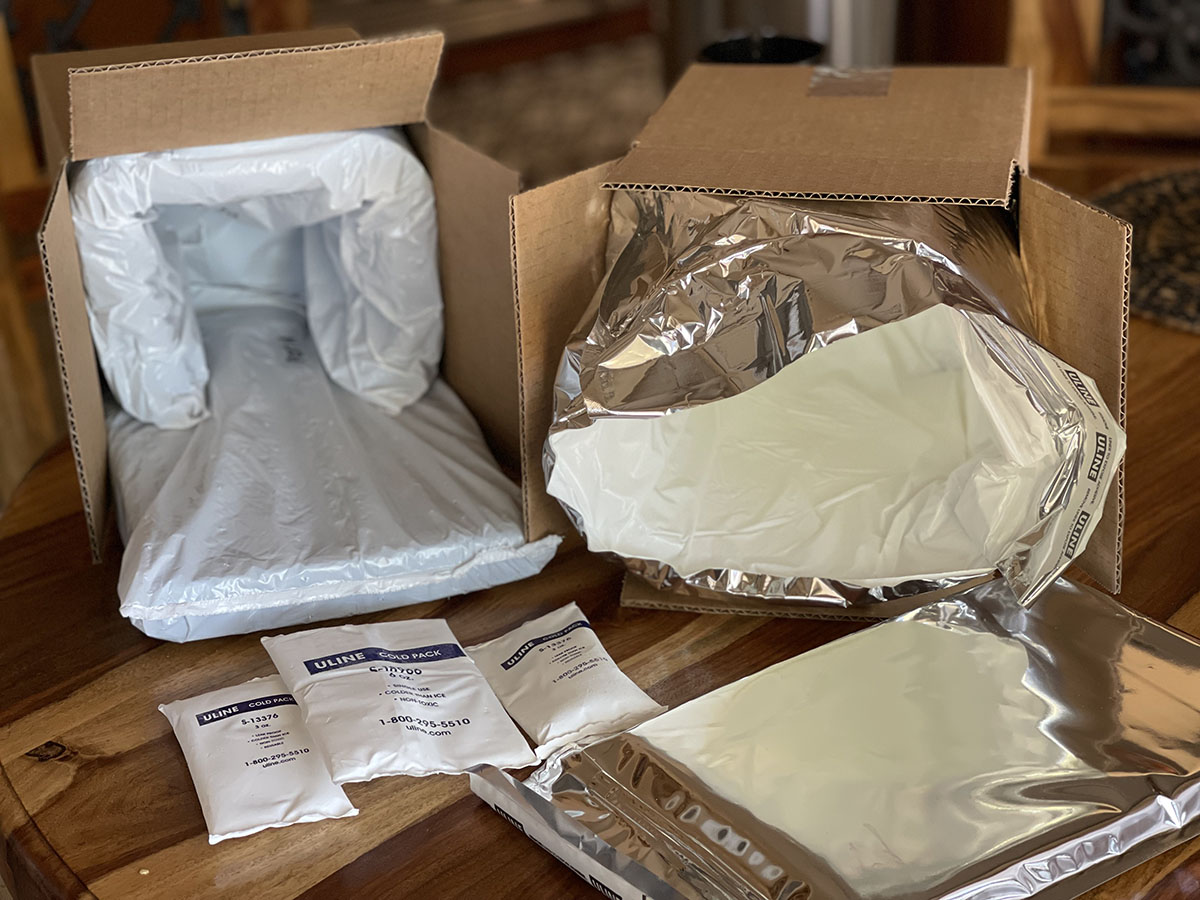
If it's hot in your area (between 90°-100° F), we recommend having your order shipped with insulated packaging and ice packs.
Here are a few things you should know: