| Â Â Íîâîñòè |
| Â Â 14 ôåâðàëÿ 2025 |
Â
 Â Â
Äåíü ðîæäåíèÿ Ëàðû è âûõîä âòîðîé ÷àñòè ðåìàñòåðîâ!  Â
Äåíü ðîæäåíèÿ Ëàðû è âûõîä âòîðîé ÷àñòè ðåìàñòåðîâ! |
 Â
Òðàäèöèîííî îòìå÷àåì äåíü ðîæäåíèÿ Ëàðû Êðîôò è âûõîä Tomb Raider IV-VI Remastered! Ïîçäðàâëÿåì ñ ôàíàòîâ è æåëàåì îòëè÷íîé èãðû è çàõâàòûâàþùèõ ïóòåøåñòâèé ñ Ëàðêîé! Ñ ïðàçäíèêîì!
Ïîñëåäíèå íîâîñòè â ãðóïïå ÂÊ
|

|
|
|
|
| Â Â 14 ôåâðàëÿ 2024 |
| Â
 Â
Äåíü ðîæäåíèÿ Ëàðû è âûõîä ðåìàñòåðîâ! |
 Â
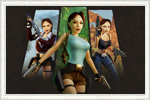
Ñåãîäíÿ ñîîáùåñòâî ïðàçäíóåò äåíü ðîæäåíèÿ Ëàðû Êðîôò è âûõîä Tomb Raider I-III Remastered! Ïîçäðàâëÿåì âñåõ ôàíàòîâ Ëàðû Êðîôò è èãðû Tomb Raider, æåëàåì èíòåðåñíûõ ïóòåøåñòâèé, íîâûõ àðòåôàêòîâ è ïðèêëþ÷åíèé! Ñ äí¸ì ðîæäåíèÿ, Ëàðà!
Ïîñëåäíèå íîâîñòè â ãðóïïå ÂÊ
|
|
|
|
|
|
  28 ÿíâàðÿ 2021
|
|
Â
 Â
2021 ãîä îòìå÷àåò 25-ëåòèå ñåðèè Tomb Raider!
|
 Â
 òå÷åíèå ãîäà ìû ïîëó÷èì ìíîãî èíòåðåñíûõ ñþðïðèçîâ è íîñòàëüãè÷åñêîãî êîíòåíòà.
Ðàçäåë, ïîñâÿùåííûé 25-ëåòèþ Tomb Raider
Ðóáðèêà: Îñîáåííîñòè ôðàíøèçû
Ðóáðèêà: Îõîòíèêè çà ñîêðîâèùàìè
Ðóáðèêà: Áîëüøå ÷åì îáëîæêà
Ôîòîàëüáîì
|

|
|
|
|
| Â Â 20 îêòÿáðÿ 2018 |
| Â
 Â
Ïðèãëàøàåì íà ôåñòèâàëü Ñòàðêîí: Õýëëîóèí 2018! |
 Â
3 è 4 íîÿáðÿ â Ñàíêò-Ïåòåðáóðãå â âûñòàâî÷íîì êîìïëåêñå «Ëåíýêñïî» â òðåòèé ðàç ñîñòîèòñÿ ôåñòèâàëü ôàíòàñòèêè, êèíî è óæàñîâ Ñòàðêîí: Õýëëîóèí.
Ãëàâíîé òåìîé ýòîãî ãîäà ñòàë êðàñî÷íûé ìåêñèêàíñêèé ïðàçäíèê Dia de los Muertos. Äðóçüÿ, áóäåì ðàäû óâèäåòüñÿ!
Ïîäðîáíåå î ôåñòèâàëå
|

|
|
|
|
| Â Â 25 èþíÿ 2018 |
| Â
 Â
Îò÷¸ò î ôåñòèâàëå Ñòàðêîí 2018! |
 Â
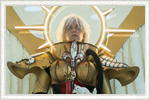
Âíîâü ïîñåòèëè åæåãîäíûé ôåñòèâàëü Ñòàðêîí. Ôîòîîò÷¸ò è âåäåîðîëèê äîñòóïíû íà íàøåì ñàéòå!
Îò÷¸ò ñî Ñòàðêîíà
|
|
|
|
|
| Â Â 24 èþíÿ 2018 |
| Â
 Â
Íîâîñòè ïî «Shadow of The Tomb Raider»! |
 Â
Ïîäáîðêà íîâîñòåé ïî Shadow of The Tomb Raider ñ âûñòàâêè E3!
Îáùàÿ èíôîðìàöèÿ ïî SOTTR
Èíòåðâüþ ñ Äàíèýëåì Áèññîíîì
Ãåéìïëåé SOTTR
Òðåéëåð, ðóññêàÿ âåðñèÿ
Ñêðèíøîòû
Êîíöåïò-àðòû
Òðåéëåð ñ E3!
|

|
|
|
|
| Â Â 3 èþíÿ 2018 |
| Â
 Â
Ïðèãëàøàåì íà ôåñòèâàëü Ñòàðêîí â Ñàíêò-Ïåòåðáóðãå! |
 Â
10 è 11 èþíÿ â Ïåòåðáóðãå, â êîíãðåññíî-âûñòàâî÷íîì öåíòðå Ýêñïîôîðóì, ïðîéäåò êðóïíåéøèé åæåãîäíûé ôåñòèâàëü ôàíòàñòèêè, êèíî, èãð è íàóêè.
Ïîäðîáíåå î ôåñòèâàëå Ñòàðêîí
|
|
|
|
|
| Â Â 26 ìàÿ 2018 |
| Â
 Â
Íîâîñòè ïî «Shadow of The Tomb Raider»! |
 Â
Ïîäáîðêà ïîñëåäíèõ íîâîñòåé ïî Shadow of The Tomb Raider!
Êîíöåïò-àðòû 1
Êîíöåïò-àðòû 2
Êîíöåïò-àðòû 3
|
|
|
|
|
| Â Â 27 ìàÿ 2018 |
| Â
 Â
Îò÷¸ò î ïîñåùåíèè «Epic Con Saint Petersburg»! |
 Â
Äðóçüÿ îò÷èòûâàåìñÿ î ïîñåùåíèè «Epic Con Saint Petersburg»! Ãîòîâ âèäåîîò÷¸ò è ôîòîãðàôèè ñ ïðîøåäøåãî ìåðîïðèÿòèÿ. Âñ¸ â ôîòî- è âèäåîò÷¸òå!
Îò÷¸ò Epic Con 2018
|
|
|
|
|
| Â Â 26 ìàÿ 2018 |
| Â
 Â
Íîâîñòè ïî «Shadow of The Tomb Raider»! |
 Â
Ïîäáîðêà ïîñëåäíèõ íîâîñòåé ïî Shadow of The Tomb Raider!
Èíòåðâüþ Äýâèäà Àíôîññè
Crystal Dynamics îòâå÷àþò íà âîïðîñû
Äýâèä Àíôîññè â èíòåðâüþ VentureBeat
Êîíöåïò-àðòû
|
|
|
|
|
| Â Â 10 ìàÿ 2018 |
| Â
 Â
Ïðèãëàøàåì íà ôåñòèâàòü Epic Con 2018 â Ñàíêò-Ïåòåðáóðãå! |
 Â
 Ïåòåðáóðã ñíîâà ïðèõîäèò çíàìåíèòûé ìåæäóíàðîäíûé ôåñòèâàëü!  ìàå Epic Con Saint Petersburg îòêðîåò ñâîè äâåðè äëÿ âñåõ ëþáèòåëåé ñîâðåìåííîé êóëüòóðû!
Åñëè âû ëþáèòå ôèëüìû è êîìèêñû, ôàíòàñòèêó, êíèãè èëè êîìïüþòåðíûå èãðû, è õîòèòå íàÿâó ïîãðóçèòüñÿ â íåâåðîÿòíûå ôàíòàñòè÷åñêèå ìèðû – ïðèõîäèòå íà êðóïíåéøèé ôåñòèâàëü ãèê-êóëüòóðû Epic Con!
Ïîäðîáíåå î ôåñòèâàëå Epic Con 2018
|

|
|
|
|
| Â Â 10 ìàÿ 2018 |
| Â
 Â
Íîâîñòè ïî «Shadow of The Tomb Raider»! |
 Â
Ïîäáîðêà ïîñëåäíèõ íîâîñòåé ïî Shadow of The Tomb Raider!
Îáçîð äåìî-âåðñèè èãðû íàøåãî êîëëåãè
Èíòåðâüþ ñ ðàçðàáîò÷èêàìè îò Gamereactor
Èíòåðâüþ ñ ðàçðàáîò÷èêàìè îò Gamesradar
Ýêèïèðîâêà Ëàðû â Shadow of The Tomb Raider
Ïåðåâîä ñòàòüè ïîðòàëà Shacknews
Tomb Raider â çàëå ñëàâû âèäåîèãð!
Ïîäðîáíîñòè ãðàôè÷åñêèõ íàñòðîåê â SOTTR
Èíòåðâüþ ñ Äàíèýëåì Áèññîíîì èç OXM
Ïåðåâîä ñòàòüè èç Official Xbox Magazine
|
|
|
|
|
| Â Â 29 àïðåëÿ 2018 |
| Â
 Â
Íîâîñòè ïî «Shadow of The Tomb Raider»! |
 Â
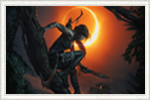
Íàïîìèíàåì, ÷òî çà ñàìîé àêòóàëüíîé èíôîðìàöèåé âû ìîæåòå ñëåäèòü íà îôèöèàëüíîé ñòðàíèöå íàøåãî ïîðòàëà â VK.com. Èìåííî òàì ñàìûå ñâåæèå íîâîñòè è ìàññà âàæíûõ ìàòåðèàëîâ è ïåðåâîäîâ.
Îïóáëèêîâàí ïåðâûé òðåéëåð!
Ïåðâûå ñêðèíøîòû
Ïîäðîáíîå îïèñàíèå èçäàíèé èãðû
Öåíû â ðîññèéñêèõ îíëàéí-ìàãàçèíàõ
Èíòåðâüþ ñ ðàçðàáîò÷èêàìè, ïåðåâîä íàøåãî ïîðòàëà
Ïîäáîðêà âàæíûõ ôàêòîâ ïî èãðå
Èíòåðâüþ ñ ðàçðàáîò÷èêàìè, ïåðåâîä íàøåãî ïîðòàëà
|
|
|
|
|
| Â Â 30 íîÿáðÿ 2017 |
| Â
 Â
Ïðèãëàøàåì íà ôåñòèâàëü Game Planet! |
 Â
Ïðèãëàøàåì íà Game Planet 2.0 – ôåñòèâàëü êîìïüþòåðíûõ èãð è êèáåðñïîðòà, ñîâìåñòíî ñ ôåñòèâàëåì êîñïëåÿ AVA Expo! Ñàíêò-Ïåòåðáóðã, ïðîñòðàíñòâî Artplay, 9-10 äåêàáðÿ!
Ïîäðîáíåå î ôåñòèâàëå Game Planet
|

|
|
|
|
| Â Â 9 àâãóñò 2017 |
| Â
 Â
Îò÷¸ò î ôåñòèâàëå Ñòàðêîí 2017! |
 Â
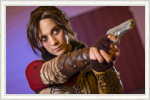
Êîìàíäà íàøåãî ïîðòàëà ïîñåòèëà çàìå÷àòåëüíûé ôåñòèâàëü Ñòàðêîí. Ôîòîîò÷¸ò è âåäåîðîëèê óæå íà íàøåì ñàéòå!
Îò÷¸ò ñî Ñòàðêîíà
|
|
|
|
|
| Â Â 19 èþëÿ 2017 |
| Â
 Â
Ïðèãëàøàåì íà ôåñòèâàëü Ñòàðêîí! |
 Â
Äðóçüÿ, ïðèãëàøàåì íà ôåñòèâàëü Ñòàðêîí 2017 â Ñàíêò-Ïåòåðáóðãå. Êîìàíäà íàøåãî ïîðòàëà ïîñåòèò 18-é åæåãîäíûé ìåæäóíàðîäíûé ôåñòèâàëü ôàíòàñòèêè, êèíî è íàóêè! Áóäåì ðàäû óâèäåòüñÿ ñ ïîñòîÿííûìè ïîñåòèòåëÿìè è ïîäïèñ÷èêàìè!
Ïîäðîáíåå î ôåñòèâàëå
|

|
|
|
|
| Â Â 13 èþëÿ 2017 |
| Â
 Â
Íîâûé êîìèêñ îò Dark Horse |
 Â
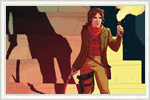
Ïóòåøåñòâèå Ëàðû Êðîôò ïðîäîëæàåòñÿ â íîâîé ñåðèè êîìèêñîâ Tomb Raider: Survivor’s Crusade. Crystal Dynamics îáúåäèíÿåòñÿ ñ Dark Horse äëÿ ñîçäàíèÿ ïîñëåäíåé ñåðèè âî âñåëåííîé êîìèêñîâ Tomb Raider, ñëåäóþùåé çà ïðèêëþ÷åíèÿìè Ëàðû Êðîôò ïîñëå Rise of the Tomb Raider.
Ïîäðîáíåå î êîìèêñå
|
|
|
|
|
| Â Â 25 èþíÿ 2017 |
| Â
 Â
Îò÷¸ò î Áîëüøîì Ôåñòèâàëå 2017 |
 Â
Àêêðåäèòîâàííûå ïðåäñòàâèòåëè íàøåãî ïîðòàëà ïîäãîòîâèëè ôîòîîò÷¸ò è âèäåîðîëèê ñ ïðîøåäøåãî ìåðîïðèÿòèÿ. Ñàìûå èíòåðåñíûå êîñòþìû, ëþáèìûå ïåðñîíàæè è ïðåêðàñíûé êîñïëåé! Êñòàòè, Ëàðà Êðîôò, êàê è îáåùàëà, òàêæå çàãëÿíóëà ê íàì!
Ïîëíûé îò÷¸ò î Áîëüøîì Ôåñòèâàëå
|

|
|
|
|
| Â Â 17 èþíÿ 2017 |
| Â
 Â
Îò÷¸ò î ôåñòèâàëå Epic Con 2017 |
 Â
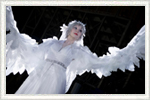
Äðóçüÿ, êîìàíäà íàøåãî ïîðòàëà îò÷èòûâàåòñÿ î ïîñåùåíèè «Epic Con Saint Petersburg»! Ãîòîâ âèäåîîò÷¸ò è ôîòîãðàôèè ñ ìåðîïðèÿòèÿ. Ìû ïîñòàðàëèñü ïåðåäàòü ñàìûå èíòåðåñíûå è ÿðêèå ìîìåíòû ôåñòèâàëÿ!
Ïîëíûé îò÷¸ò î ôåñòèâàëå Epic Con 2017
|
|
|
|
|
| Â Â 06 èþíÿ 2017 |
| Â
 Â
Ïðèãëàøàåì íà Áîëüøîé Ôåñòèâàëü! |
 Â
Ïðèãëàøàåì íà «Áîëüøîé Ôåñòèâàëü Êîìèêñîâ» — êðóïíåéøèé åæåãîäíûé ôåñòèâàëü êîìèêñîâ, êîñïëåÿ è íîñòàëüãèè, ãäå ïîñåòèòåëè ìîãóò ïðîíèêíóòüñÿ àòìîñôåðîé áåçãðàíè÷íîãî ïðàçäíèêà, ïîãðóçèòüñÿ â ìèðû ëþáèìûõ ñåðèàëîâ, ìóëüòôèëüìîâ è èãð è âñòðåòèòüñÿ ñ êóìèðàìè ñî âñåé ïëàíåòû!
Ïîäðîáíåå î Áîëüøîì Ôåñòèâàëå
|
|
|
|
|
| Â Â 26 ìàÿ 2017 |
| Â
 Â
Êàìïàíèÿ Íåéòàíà Ìàêêðè! |
 Â
Íåéòàí Ìàêêðè, êîìïîçèòîð ïåðâûõ òðåõ îðèãèíàëüíûõ èãð Tomb Raider, çàïóñòèë ñåãîäíÿ êîìïàíèþ íà Kickstarter ïî ñáîðó ñðåäñòâ äëÿ çàïèñè ìóçûêàëüíîãî àëüáîìà «Ñþèòà Tomb Raider» â çíàìåíèòîé Abbey Road Studios.
Ïîäðîáíåå î êàìïàíèè íà Kickstarter
|
|
|
|
|
| Â Â 8 ìàÿ 2017 |
| Â
 Â
Epic Con Saint Petersburg 2017! |
 Â
 Ñàíêò-Ïåòåðáóðãå ïðîéä¸ò ôåñòèâàëü êèíî è êîìïüþòåðíûõ èãð Epic Con Saint Petersburg 2017! Àäìèíèñòðàöèÿ íàøåãî ïîðòàëà óæå ãîòîâèòñÿ ïîñåòèòü ìåðîïðèÿòèå è ïðåäîñòàâèòü òðàäèöèîííûé îò÷¸ò. Áóäåì ðàäû óâèäåòüñÿ íà ôåñòèâàëå!
Ïîäðîáíåå î ôåñòèâàëå Epic Con Saint Petersburg
|
|
|
|
|
| Â Â 13 àïðåëÿ 2017 |
| Â
 Â
Îáíîâëåíèå Lara Croft Go! |
 Â
Íîâàÿ ãëàâà ïîøàãîâîé ãîëîâîëîìêè Lara Croft Go «Çåðêàëî äóõîâ» ïîÿâèëàñü è íà ìîáèëüíûõ ïëàòôîðìàõ.
App Store
Google Play
Windows
|
|
|
|
|
| Â Â 23 íîÿáðÿ 2016 |
| Â
 Â
Îò÷¸ò î ôåñòèâàëÿõ Game Planet è AVA Expo! |
 Â
Êîìàíäà íàøåãî ïîðòàëà ïðåäñòàâëÿåò ôîòî- è âèäåîîò÷¸ò ñ êðóïíûõ ôåñòèâàëåé Game Planet è AVA Expo, êîòîðûå ïðîøëè â ÑÊÊ "Ïåòåðáóðãñêèé".
Ïîëíûé îò÷¸ò î Game Planet è AVA Expo
|
|
|
|
|
| Â Â 15 íîÿáðÿ 2016 |
| Â
 Â
Îò÷¸ò î ôåñòèâàëå Ñòàðêîí! |
 Â
Ïðåäñòâàëÿåì îò÷¸ò î ôåñòèâàëå ÑÒÀÐÊÎÍ: Õýëëîóèí, êîòîðûé ïðîõîäèë â Ñàíêò-Ïåòåðáóðãå 29 è 30 îêòÿáðÿ 2016 ãîäà.
Ïîëíûé îò÷¸ò î ÑÒÀÐÊÎÍ: Õýëëîóèí
|

|
|
|
|
| Â Â 10 íîÿáðÿ 2016 |
| Â
 Â
Ìàòåðèàëû Tomb Raider 10th Anniversary Edition |
 Â
Íà ñàéòå íàøåãî êîëëåãè ìîæíî íàéòè ìíîãî èíòåðåñíûõ ìàòåðèàëîâ î äàâíî çàêðûòîì ïðîåêòå Tomb Raider 10th Anniversary Edition îò Core.
Ïîäðîáíåå î ïðîåêòå TRAE
|
|
|
|
|
| Â Â 9 íîÿáðÿ 2016 |
| Â
 Â
Ïðèãëàøàåì íà ôåñòèâàëü Game Planet! |
 Â
Ïðèãëàøàåì íà ñîâåðøåííî íîâûé ôåñòèâàëü êîìïüþòåðíûõ èãð è êèáåðñïîðòà Game Planet è îäèí èç êðóïíåéøèõ êîñïëåé-èâåíòîâ AVA Expo!
Ïîäðîáíåå î ôåñòèâàëå Game Planet
|

|
|
|
|
| Â Â 17 îêòÿáðÿ 2016 |
| Â
 Â
Ïðèãëàøàåì íà ôåñòèâàëü Ñòàðêîí! |
 Â
Êîìàíäà íàøåãî ïîðòàëà òðàäèöèîííî ïîñåòèò ôåñòèâàëü Ñòàðêîí â Ñàíêò-Ïåòåðáóðãå, êîòîðûé ïðîâîäèòñÿ íàøèìè äðóçüÿìè èç Geekers! Âñåãäà ðàäû ïîó÷àñòâîâàòü â êðóïíåéøèõ ðîññèéñêèõ ôåñòèâàëÿõ, âñòðåòèòüñÿ è ïîîáùàòüñÿ ñ ïîñòîÿííûìè ïîäïèñ÷èêàìè íàøåãî ñîîáùåñòâà!
Ïîäðîáíåå î ôåñòèâàëå Ñòàðêîí: Õýëëîóèí
|

|
|
|
|
| Â Â 16 îêòÿáðÿ 2016 |
| Â
 Â
Îò÷¸ò ñ âûñòàâêè PLAY Expo! |
 Â
Ïðåäñòàâëÿåì îò÷¸ò î âñòðå÷å ðàçðàáîò÷èêîâ CORE Design íà âûñòàâêå PLAY Expo â Ìàí÷åñòåðå. Íàïîìíèì, îðãàíèçàòîðîì ìåðîïðèÿòèÿ âûñòóïèë íàø àäìèíèñòðàòîð Àø Êàïðèåëîâ.
Âèäåî è ïîäáîðêà ìàòåðèàëîâ
|

|
|
|
|
| Â Â 8 îêòÿáðÿ 2016 |
| Â
 Â
Ïðÿìàÿ òðàíñëÿöèÿ ñ âûñòàâêè PLAY Expo! |
 Â
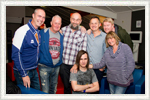
Ïðèãëàøàåì 8 îêòÿáðÿ 2016 ãîäà ïîñìîòðåòü ïðÿìóþ òðàíñëÿöèþ ñî âñòðå÷è ðàçðàáîò÷èêîâ ëåãåíäàðíîé ñòóäèè CORE Design! Âñòðå÷ó â ðàìêàõ PLAY Expo îðãàíèçîâàë íàø àäìèíèñòðàòîð è àíãëèéñêèé êîððåñïîíäåíò Àø Êàïðèåëîâ.
Ñòðèì è ïîäðîáíîñòè âñòðå÷è â ãðóïïå ÂÊ
|
|
|
|
|
| Â Â 11 àâãóñòà 2016 |
| Â
 Â
Âñòðå÷à ñ ðàçðàáîò÷èêàìè CORE Design íà PLAY Expo! |
 Â
Îòìå÷àåì äâàäöèòèëåòíèé þáèëåé ñåðèè ñ ðàçðàáîò÷èêàìè CORE Design! Óíèêàëüíîå ñîáûòèå â ðàìêàõ âûñòàâêè PLAY Expo â Ìàí÷åñòåðå!
Ïîäðîáíîñòè è ñïèñîê ãîñòåé â ãðóïïå ÂÊ
|

|
|
|
|
| Â Â 20 èþëÿ 2016 |
| Â
 Â
Îò÷¸ò î Ñòàðêîíå 2016! |
 Â
Ãîòîâ ôîòî- è âèäåîîò÷¸ò íàøåãî ïîðòàëà ñ ôåñòèâàëÿ ôàíòàñòèêè, êèíî è íàóêè Ñòàðêîí! Äåëèìñÿ ñàìûìè ÿðêèìè ìîìåíòàìè ìåðîïðèÿòèÿ!
Ïîëíûé îò÷¸ò î ôåñòèâàëå Ñòàðêîí 2016
|
|
|
|
|
| Â Â 15 èþíÿ 2016 |
| Â
 Â
Ïðèãëàøàåì íà ôåñòèâàëü Ñòàðêîí 2016! |
 nbsp;Â
Äðóçüÿ, êîìàíäà íàøåãî ïîðòàëà ñíîâà ïðèãëàøåíà íà èíòåðåñíîå ìåðîïðèÿòèå - ôåñòèâàëü «Ñòàðêîí»!  ñâîþ î÷åðåäü, ìû ïðèãëàøàåì âñåõ ó÷àñòíèêîâ íàøåãî ñîîáùåñòâà!
Ïîäðîáíåå î ôåñòèâàëå Ñòàðêîí 2016
|

|
|
|
|
| Â Â 14 èþíÿ 2016 |
| Â
 Â
Ýêñêëþçèâíîå èíòåðâüþ ñ Äæóäè Ãèááèíñ |
 Â
Ýêñêëþçèâíîå èíòåðâüþ ñ Äæóäè Ãèááèíñ, ãîëîñîì êîòîðîé ãîâîðèò Ëàðà â èãðàõ Tomb Raider II, The Golden Mask, Tomb Raider III è The Lost Artifact. Ñ Äæóäè áåñåäóåò íàø àíãëèéñêèé êîððåñïîíäåíò Àø Êàïðèåëîâ.
Ïîëíîå èíòåðâüþ íà ðóññêîì ÿçûêå
|

|
|
|
|
| Â Â 27 ìàÿ 2016 |
| Â
 Â
Îò÷¸ò î Comic Con Saint Petersburg 2016! |
 Â
Ïóáëèêóåì ïîëíûé îò÷¸ò íàøåãî ïîðòàëà î ôåñòèâàëå Comic Con Saint Petersburg! Ìû ïîäãîòîâèëè êðàñî÷íûé âèäåîðîëèê è ôîòîîò÷¸ò, ïðîíèêíèòåñü àòìîñôåðîé ôåñòèâàëÿ âìåñòå ñ íàìè!
Ïîëíûé îò÷¸ò î Comic Con Saint Petersburg
|

|
|
|
|
| Â Â 11 ìàÿ 2016 |
| Â
 Â
Ôåñòèâàëü Comic Con Saint Petersburg 2016! |
 Â
Äðóçüÿ, òðàäèöèîííî ïðèãëàøàåì íà ëó÷øèå èãðîâûå ìåðîïðèÿòèÿ â Ñàíêò-Ïåòåðáóðãå! Íà ýòîò ðàç ìû ïîñåòèì îäèí èç êðóïíåéøèõ ôåñòèâàëåé - Comic Con Saint Petersburg. Æä¸ì âàñ 21-22 ìàÿ â ÑÊÊ «Ïåòåðáóðãñêèé».
Ïîäðîáíåå î Comic Con Saint Petersburg
|

|
|
|
|
| Â Â 28 ÿíâàðÿ 2016 |
| Â
 Â
Âûõîä Rise of the Tomb Raider! |
 Â
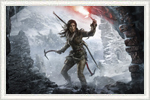
Ñîñòîÿëñÿ ðåëèç íîâîé ñåðèè ïðèêëþ÷åíèé íàøåé ëþáèìîé Ëàðû Êðîôò. Èìåííî ñåãîäíÿ âûõîäèò äîëãîæäàííàÿ Rise of the Tomb Raider íà PC. Êîìàíäà íàøåãî ïîðòàëà ïîçäðàâëÿåò âñåõ ôàíàòîâ!
Ïîçäðàâëÿåì!
|
|
|
|
|
| Â Â 26 ÿíâàðÿ 2016 |
| Â
 Â
Ðîçûãðûø Rise of the Tomb Raider! |
 Â
[ÇÀÂÅÐØÅÍÎ] Â íàøåé ãðóïïå â êîíòàêòå ïðîõîäèò ðîçûãðûø ëèöåíçèîííîé êîïèè èãðû Rise of the Tomb Raider! Cîâìåñòíî â êîìïàíèåé NVIDIA ìû ðàçûãðàåì 28 ÿíâàðÿ îäíó êîïèþ èãðû!
Ðîçûãðûø ÂÊîíòàêòå
|
|
|
|
|
| Â Â 18 äåêàáðÿ 2015 |
| Â
 Â
Îò÷¸ò î ôåñòèâàëå AVA Expo 2015 â Ñàíêò-Ïåòåðáóðãå |
 Â
Ïóáëèêóåì îò÷¸ò î ôåñòèâàëå AVA Expo 2015, êîòîðûé ïðîø¸ë 5 è 6 äåêàáðÿ â Ñàíêò-Ïåòåðáóðãå. Äåëèìñÿ âïå÷àòëåíèÿìè, ôîòîãðàôèÿìè è âèäåîðîëèêîì, ñíÿòûì íàìè íà ôåñòèâàëå.
Îò÷¸ò î ôåñòèâàëå AVA Expo 2015
|

|
|
|
|
| Â Â 24 íîÿáðÿ 2015 |
| Â
 Â
Ïðèãëàøàåì íà ôåñòèâàëü AVA Expo 2015 â Ñàíêò-Ïåòåðáóðãå |
 Â
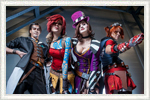
Äðóçüÿ, ó íàñ ñíîâà èíòåðåñíîå ñîáûòèå! Åñëè åñòü æåëàíèå óâèäåòü Ëàðó Êðîôò, ïîîáùàòüñÿ âæèâóþ ñ ñîîáùíèêàìè è àäìèíàìè íàøåãî ïîðòàëà è ãðóïïû - æä¸ì íà AVA Expo 5 è 6 äåêàáðÿ!
Ïîäðîáíåå î ôåñòèâàëå AVA Expo
|
|
|
|
|
| Â Â 13 íîÿáðÿ 2015 |
| Â
 Â
Âûõîä Rise of the Tomb Raider. |
 Â
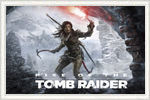
Äðóçüÿ, ñåãîäíÿ 13 íîÿáðÿ - äåíü åâðîïåéñêîãî è ðîññèéñêîãî ðåëèçà Rise of the Tomb Raider. Êàê èçâåñòíî, îöåíèòü íîâóþ ÷àñòü ñåðèè íà äàííûé ìîìåíò ìîãóò òîëüêî âëàäåëüöû êîíñîëåé îò Microsoft, áîëüøèíñòâó æå ïðèä¸òñÿ ïîäîæäàòü äî ñëåäóþùåãî ãîäà. Ðåëèç íà PC îáåùàþò â íà÷àëå 2016 ãîäà, íà PlayStation 4 èãðà âûéäåò ëèøü ÷åðåç ãîä.
|
|
|
|
|
| Â Â 9 íîÿáðÿ 2015 |
| Â
 Â
Îò÷¸ò î ôåñòèâàëå NextCastle Party 2015 |
 Â
Ïóáëèêóåì îò÷¸ò î ôåñòèâàëå ðåòðî- è èíäè-èãð NextCastle Party 2015. Êàê ìû è ïëàíèðîâàëè, ïîñåòèëè ôåñòèâàëü è òåïåðü äåëèìñÿ âïå÷àòëåíèÿìè.
Ïðèãëàøàåì ïîñìîòðåòü âèäåîðîëèê, ñíÿòûé íàøåé êîìàíäîé è ôîòîîò÷¸ò.
Îò÷¸ò î NextCastle Party 2015
|

|
|
|
|
| Â Â 6 íîÿáðÿ 2015 |
| Â
 nbsp; Â
«Rise of the Tomb Raider - Woman vs Wild» |
 Â
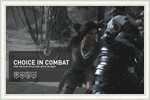
Äîñòóïíû âñå òðè âèäåî èç ñåðèè «Rise of the Tomb Raider - Woman vs Wild». Ïîäðîáíîñòè èãðû, áîåâîé ñèñòåìû è âçàèìîäåéñòèâèÿ ñ îêðóæàþùåé ñðåäîé.
Ïåðâàÿ ÷àñòü «Woman vs Wild»
Âòîðàÿ ÷àñòü «Woman vs Wild»
Òðåòüÿ ÷àñòü «Woman vs Wild»
|
|
|
|
|
| Â Â 16 îêòÿáðÿ 2015 |
| Â
 Â
Ïðèãëàøàåì íà ôåñòèâàëü NextCastle Party 2015! |
 Â
Äðóçüÿ, êîìàíäà LaraCroft.Ru ïîñåòèò ôåñòèâàëü ðåòðî- è èíäè-èãð NextCastle Party 2015. Ïðåêðàñíîå ìåðîïðèÿòèå äëÿ ëþáèòåëåé èãðîâîãî îëäñêóëà, ñòàðûõ ïðèñòàâîê è êîìïüþòåðîâ. Æä¸ì âàñ â Ñàíêò-Ïåòåðáóðãå â êðåàòèâíîì ïðîñòðàíñòâå «Òêà÷è» 31 îêòÿáðÿ è 1 íîÿáðÿ.
Ïîäðîáíåå î ôåñòèâàëå NextCastle Party 2015.
|

|
|
|
|
| Â Â 15 îêòÿáðÿ 2015 |
| Â
 Â
Îáíîâëåíèÿ Lara Croft: Relic Run! |
 Â
Ìîáèëüíàÿ èãðà Lara Croft: Relic Run ïîëó÷èëà èíòåðåñíûå îáíîâëåíèÿ. Ëàðà Êðîôò òåïåðü ìîæåò èññëåäîâàòü íîâóþ ëîêàöèþ «Ãîðíûé ïåðåâàë», à òàêæå âîäèòü ñíåãîõîä, óáèâàÿ éåòè è ëåäÿíûõ ïàóêîâ. Íî ýòî åùå íå âñå: åå íîâûé ìîùíûé ïóëåìåò ïîìîæåò çàùèòèòü èãðîêîâ îò Íîâîãî Äåìîíà – áîññà, áðîñàþùåãî ëåä íà äîðîãó ïåðåä Ëàðîé.
Ïîäðîáíåå â ãðóïïå â êîíòàêòå..
|
|
|
|
|
| Â Â 16 àâãóñòà 2015 |
| Â
 Â
Îò÷¸ò î ôåñòèâàëå «Ñòàðêîí» â Ñàíêò-Ïåòåðáóðãå! |
  Äåëèìñÿ âïå÷àòëåíèÿìè îò ôåñòèâàëÿ ôàíòàñòèêè, êèíî è íàóêè Ñòàðêîí! Ãîòîâû ôîòîãðàôèè, íàø âèäåîîò÷¸ò, èíòåðâüþ ñ ðàçíûìè êîñïëååðàìè è, êîíå÷íî, ñ Ëàðàìè Êðîôò. Äà, èìåííî ñ Ëàðàìè - íà òàêîì êðóïíîì ìåðîïðèÿòèè îäíîé ðàñõèòèòåëüíèöû ãðîáíèö áóäåò ïðîñòî ìàëî!
Îò÷¸ò è âèäåî íà ñàéòå.
Îò÷¸ò â ãðóïïå ÂÊ.
|

|
|
|
|
| Â Â 27 èþëÿ 2015 |
| Â
 Â
Ïðèãëàøàåì íà ôåñòèâàëü «Ñòàðêîí» â Ñàíêò-Ïåòåðáóðãå! |
 Â
Äðóçüÿ, êîìàíäà íàøåãî ïîðòàëà ïðèãëàøåíà íà åæåãîäíûé ôåñòèâàëü ôàíòàñòèêè, êèíî, èãð è íàóêè Ñòàðêîí 2015! Ïîñêîëüêó ìû âñåãäà àêòèâíî ñïîñîáñòâîâàëè ðàçâèòèþ êîñïëåÿ, ðàçóìååòñÿ, íå ìîæåì ïðîïóñòèòü òàêîå ãðàíäèîçíîå ñîáûòèå. Áóäåì ðàäû âèäåòü ïîäïèñ÷èêîâ è ïîñòîÿííûõ ïîñåòèòåëåé ñàéòà! Îñîáåííî áóäåì ðàäû íàøèì çàìå÷àòåëüíûì ìîäåëÿì Ëàðû Êðîôò!
Ïîäðîáíåå î ôåñòèâàëå.
|
|
|
|
|
| Â Â 19 èþëÿ 2015 |
| Â
 Â
Ïîëíûé âèäåîîò÷¸ò íàøåãî ïîñëà î âûñòàâêå E3 2015. |
 Â
Äðóçüÿ, ïðåäñòàâëÿåì ïîëíûé âèäåîîò÷¸ò íàøåãî êîððåñïîíäåíòà Àøêè î âûñòàâêå E3.
Íàïîìíèì, ÷òî Àø ïî ïðîñüáå Ëàðû Êðîôò ïîñåòèë èãðîâóþ âûñòàâêó E3 â Ëîñ-Àíäæåëåñå, âçÿë èíòåðâüþ ó ðàçðàáîò÷èêîâ ñòóäèè Crystal Dynamics è äàæå ñìîã ïîñìîòðåòü ðàííþþ äåìî-âåðñèþ íîâîé Rise of the Tomb Raider! Óçíàòü, êîãî åù¸ âñòðåòèë íàø ïîñîë, ñ êåì ïîîáùàëñÿ è îñòàëàñü ëè äîâîëüíà ñàìà Ëàðà, âû ñìîæåòå ïîñìîòðåâ ðîëèê!
Âèäåîîò÷¸ò î E3 2015.
|
|
|
|
|
| Â Â 16 èþëÿ 2015 |
| Â
 Â
Èíòåðâüþ ñ àâòîðîì ñþæåòà íîâîé èãðû â ñòóäèè Crystal Dynamics. |
 Â
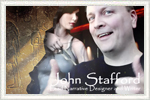
Ïîñîë íàøåãî ñîîáùåñòâà Àøêà áåñåäóåò ñ Äæîíîì Ñòàôôîðäîì (àâòîð ñþæåòà) â ñòóäèè Crystal Dynamics. Äæîí ðàññêàçûâàåò î ðàáîòå íàä ñþæåòíîé ëèíèåé â èãðå è ñîòðóäíè÷åñòâå ñ äðóãèìè àâòîðàìè, â òîì ÷èñëå ñ Ðèàííîé Ïðàò÷åòò. Íàïîìíèì, ÷òî ñêîðî áóäåò îïóáëèêîâàí ðàçâ¸ðíóòûé âèäåî-îò÷¸ò íàøåãî ïîñëà ïî âûñòàâêå Å3, ñëåäèòå çà íîâîñòèìè â íàøåé ãðóïïå.
Âèäåîçàïèñü èíòåðâüþ ñ Äæîíîì Ñòàôôîðäîì.
|
|
|
|
|
| Â Â 30 èþíÿ 2015 |
| Â
 Â
Ðàññêàç íàøåãî êîððåñïîíäåíòà î ïîåçäêå íà âûñòàâêó E3. |
 Â
Íàø êîððåñïîíäåíò Àø Êàïðèåëîâ ïîáûâàë íà âûñòàâêå Å3 2015 â êà÷åñòâå ïðèãëàøåííîãî ó÷àñòíèêà ïðîãðàììû «Ïîñëû Å3». Ïîñëû ñ ðàçíûõ ñòðàí áûëè ïðèãëàøåíû êîðïîðàöèåé Microsoft è Crystal Dynamics ïî ñëó÷àþ ïðåçåíòàöèè Rise of the Tomb Raider. Êàê àêêðåäèòîâàííûé ó÷àñòíèê, Àøêà ñäåëàë îòëè÷íûé ôîòî è âèäåî-ðåïîðòàæ äëÿ íàøåãî ñîîáùåñòâà. Ïðåäñòàâëÿåì åãî ñòàòüþ î ïîåçäêå íà ñàìîå âàæíîå èãðîâîå ñîáûòèå â ìèðå.
Îò÷¸ò î ïîåçäêå íà E3.
|
|
|
|
|
| Â Â 20 èþíÿ 2015 |
| Â
 Â
Íîâîå ïîäðîáíîå âèäåî ïî èãðå Rise of the Tomb Raider. |
 Â
Äðóçüÿ, âûêëàäûâàåì íîâûé ðîëèê ïî Rise of the Tomb Raider - "Siberian Wilderness". Ïîìèìî ãåéïëåÿ, ìû óæå ìîæåì îöåíèòü èíòåðôåéñ â èãðå, ïðèíöèà óñîâåðøåíñòâîâàíèÿ îäðóæèÿ è ñèñòåìó áîÿ. Íà äàííûé ìîìåíò ýòî ñàìîå ïîäðîáíîå âèäåî ïî èãðå.
Íîâûé ðîëèê ñ ãåéìïëååì - "Siberian Wilderness".
|
|
|
|
|
| Â Â 17 èþíÿ 2015 |
| Â
 Â
Âïå÷àòëåíèÿ îò äåìî-âåðñèè Rise of the Tomb Raider #2. |
 Â
Ïóáëèêóåì âòîðóþ ÷àñòü îò÷¸òà î çàêðûòîì ïðîñìîòðå äåìî-âåðñèè Rise of the Tomb Raider íà âûñòàâêå E3. Ñåãîäíÿ íàø ïîñîë â Ëîñ-Àíäæåëåñå ðàññêàçûâàåò î íîâîì óðîâíå - Ñèðèè.
Âïå÷àòëåíèÿ îò äåìî-âåðñèè Rise of the Tomb Raider #2.
|
|
|
|
|
| Â Â 16 èþíÿ 2015 |
| Â
 Â
Âïå÷àòëåíèÿ îò äåìî-âåðñèè Rise of the Tomb Raider. |
 Â
Íàø ïîñîë íà E3 ïîáûâàë íà çàêðûòîé ïðåçåíòàöèè Rise of the Tomb Raider íà âûñòàâêå è äåëèòñÿ èíòåðåñíûìè ïîäðîáíîñòÿìè è âïå÷àòëåíèÿìè. Ìíîãî ïîäðîáíîñòåé è íîâîé èíôîðìàöèè ïî èãðå!
Âïå÷àòëåíèÿ îò äåìî-âåðñèè Rise of the Tomb Raider.
|
|
|
|
|
| Â Â 16 èþíÿ 2015 |
| Â
 Â
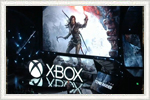
Íîâîñòè íàøåãî ïîñëà ñ âûñòàâêè E3 â Ëîñ-Àíäæåëåñå. |
 Â
Êàê ìû óæå îáúÿâëÿëè, íà âûñòàâêå E3 ðîññèéñêîå ñîîáùåñòâî ïðåäñòàâëÿåò íàø êîððåñïîíäåíò Àøêà. Ñàìûå ïîñëåäíèå íîâîñòè èç ïåðâûõ ðóê è ôîòîãðàôèè íåïîñðåäñòâåííî ñ âûñòàêè è ïðåññ-êîíôåðåíöèé âû ìîæåòå íàéòè â íàøåé ãðóïïå â êîíòàêòå. Âñå ñîîáùåíèÿ, êàñàþùèåñÿ âûñòàâêè, ïóáëèêóþòñÿ ñî ñïåöèàëüíûìè õåø-òåãàìè. Çàõîäèòå â íàøå ÂÊ-ñîîáùåñòâî!
Ïîñëåäíèå íîâîñòè ñ êîíôåðåíöèè E3.
|
|
|
|
|
| Â Â 15 èþíÿ 2015 |
| Â
 Â
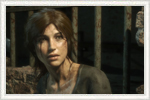
Òðåéëåð è ïîëíîå âèäåî ïðåçåíòàöèè Tomb Raider íà E3. |
 Â
Äðóçüÿ, íà âûñòàâêå E3 â Ëîñ-Àíäæåëåñå áûë ïîêàçàí íåáîëüøîé ðîëèê ñ ãåéìïëååì íîâîé Rise of the Tomb Raider! Â òðåéëåðå ïîêàçàíû îòðûâêè èãðû è êàò-ñöåíû. Òàêæå äîñòóïíî ïîëíîå âèäåî ñ ïðåçåíòàöèè.
Òðåéëåð èãðû ñ ðóññêèìè ñóáòèòðàìè.
Ïîëíîå âèäåî ñ êîíôåðåíöèè.
|
|
|
|
|
| Â Â 6 èþíÿ 2015 |
| Â
 Â
Ïîñîë íà âûñòàâêå E3 â Ëîñ-Àíäæåëåñå. |
 Â
Õîòèì ñîîáùèòü, ÷òî íàø êîððåñïîíäåíò Àø Êàïðèåëîâ ïîñåòèò ìèðîâóþ âûñòàâêó èãðîâîé èíäóñòðèè Å3 â Ëîñ-Àíäæåëåñå. Àøêà áûë âûáðàí êàê ïîñîë ñîîáùåñòâà îò Ðîññèè.  íàøåé ãðóïïå âêîíòàêòå âû ìîæåòå çàäàòü íåñêîëüêî âîïðñîîâ ðàçðàáîò÷èêàì è óòî÷íèòü ïîäðîáíîñòè. Ñëåäèòå è ïîäïèñûâàéòåñü, â ãðóïïå ìû áóäåò ñòàðàòüñÿ ïóáëèêîâàòü ñàìûå ïîñëåäíèå íîâîñòè ñ âûñòàâêè!
Ñîîáùåñòâî LaraCroft.Ru â êîíòàêòå.
|
|
|
|
|
| Â Â 5 èþíÿ 2015 |
| Â
 Â
Íîâûé òðåéëåð Rise of the Tomb Raider. |
 Â
Äðóçüÿ, ïóáëèêóåì íîâûé òðåéëåð ê èãðå Rise of the Tomb Raider. Ñïåöèàëüíî äëÿ âàñ, ê ðîëèêó ìû äîáàâèëè ðóññêèå ñóáòèòðû. Íàïîìíèì, ÷òî íîâàÿ èãðà ïîÿâèòñÿ â êîíöå 2015 ãîäà ñ âðåìåííîé ýêñêëþçèâíîñòüþ äëÿ XBox.
Òðåéëåð Rise of the Tomb Raider.
|
|
|
|
|
|